
Make thumbnails without uploading a single video
Advanced Thumbnailer reads your videos straight from your own drive. There's nothing to upload, no size limit to hit and no queue to wait in, and unreleased videos stay private.
Desktop vs online thumbnail makers
Online tools are handy for one-off designs. For thumbnails made from your own videos, working on your PC is faster and more private.
| Advanced Thumbnailer | Typical online editor | |
|---|---|---|
| Where your video goes | Stays on your PC | Uploaded to a website |
| Big or long files | No limit | Upload limits and wait times |
| Frames from the video | Picked from the file itself | Screenshot it yourself first |
| Lots of videos at once | Batch a whole folder | Usually one at a time |
| Price | One-time purchase | Often a monthly plan |
Online editors vary. Compare the specific tool you use, especially its upload limits and pricing.
Everything happens in one desktop window
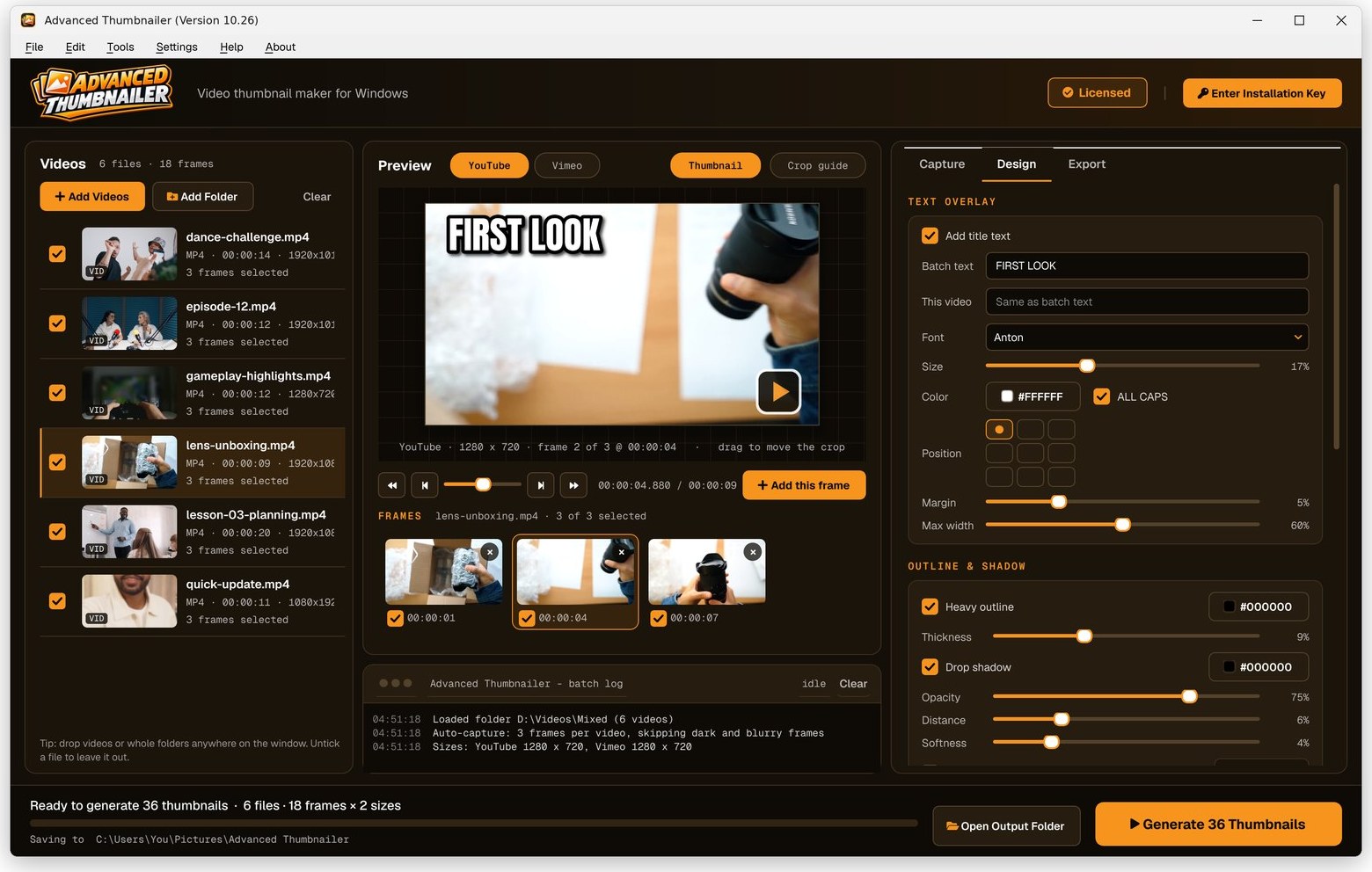
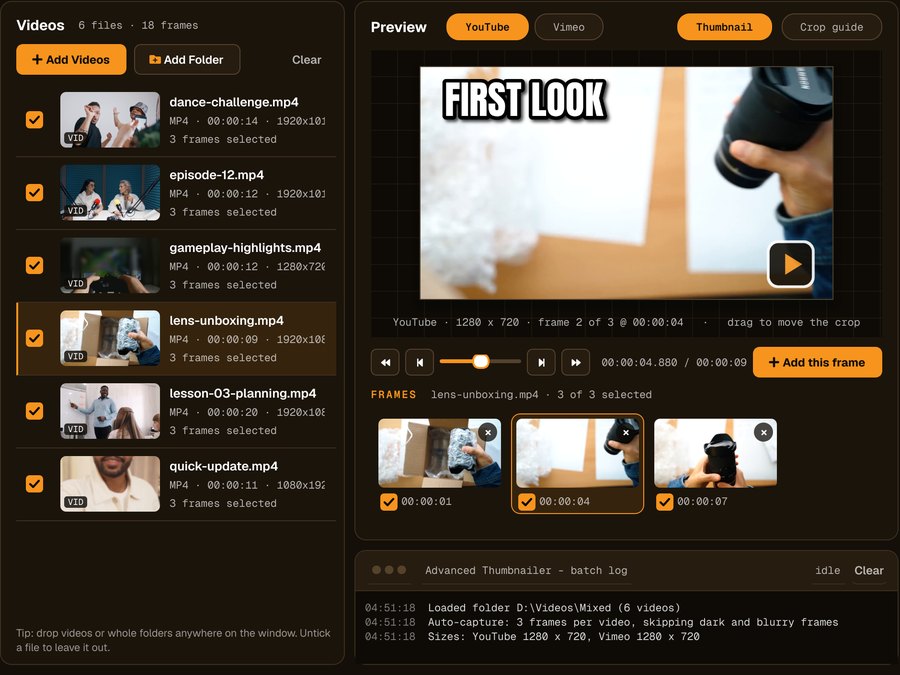
Videos load from your drive, previews render on your PC and finished thumbnails are saved to a folder you choose.
How to make a thumbnail offline
Add your videos
Click Add Videos or Add Folder, or drag files onto the window. If you turned it on when installing, you can also right-click a video in File Explorer and choose Make thumbnails with Advanced Thumbnailer.
Pick the frame
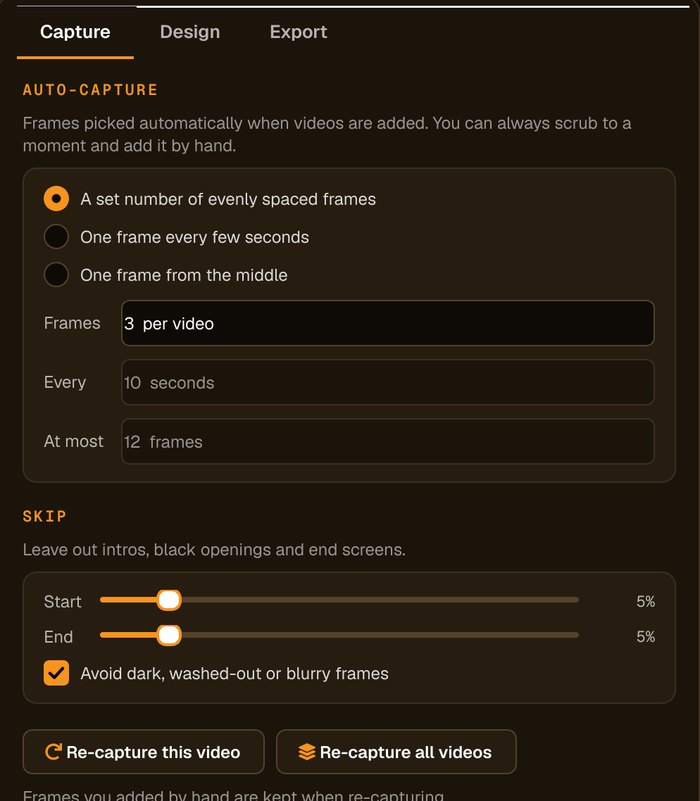
Auto-capture picks frames for you and avoids dark, washed-out or blurry ones. Scrub to any other moment and click Add this frame.
Add your title and logo
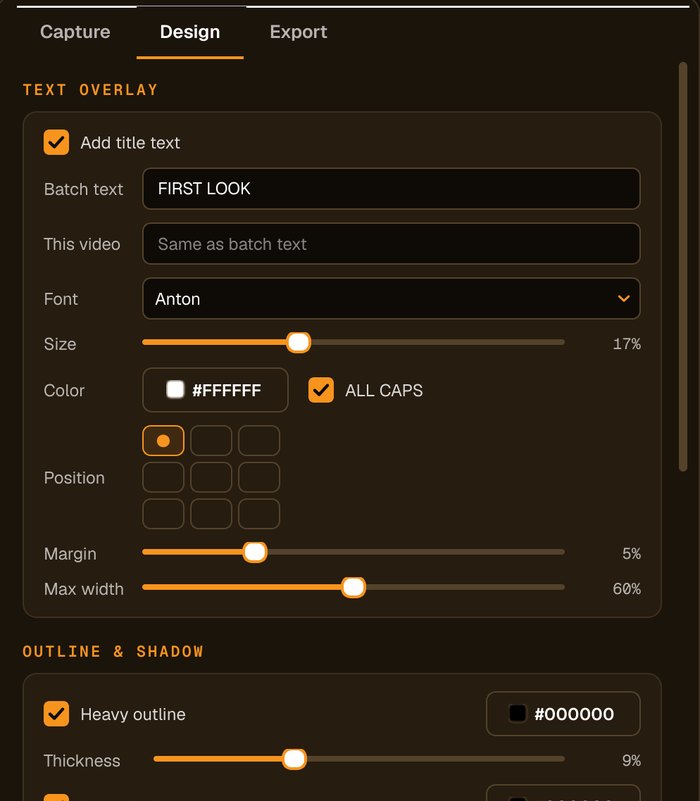
Type the title, choose the font, size and colour, add an outline, shadow or highlight box, and place your logo in any corner.
Save to your PC
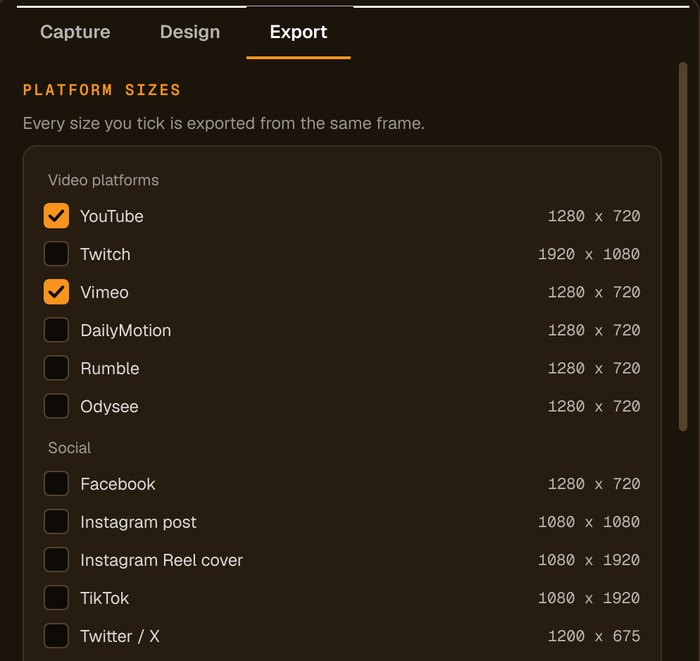
Tick your sizes and press Generate. Thumbnails are written to Pictures\Advanced Thumbnailer, or next to each video.
Why creators prefer working offline
Unreleased videos stay private
Nothing leaves your computer while you work, which matters for client work and unreleased content.
No upload limits
4K, long recordings and big folders are read straight from disk.
Works on a slow connection
Videos are read from your drive, so making thumbnails doesn't depend on your internet speed.
Your files, your folders
Name and organise the output however you like, ready to upload where you want.
Who it's not for: if you work on a Chromebook or Mac, Advanced Thumbnailer won't run there. It's for Windows 10 and 11.
One license. Every preset. Yours to keep.
Get Advanced Thumbnailer
You'll go straight to your download page once payment is confirmed, and we'll email your download link and license key.
Buy now · $39.95Already purchased? Get your download link again
One-time payment · instant download
- InputVideo and image files
- Presets18 + custom sizes
- Works onWindows 10 & 11
- UpdatesFree
- Activations1 PC
- DeliveryDownload + key by email
Offline thumbnail questions
Does Advanced Thumbnailer need the internet?
To activate your Installation Key, then a quick license check at least once every 7 days. Making thumbnails happens entirely on your PC.
Are my videos uploaded anywhere?
No. Videos are read from your own drive and thumbnails are saved to a folder on your PC.
Is there a file size limit?
No. Because nothing is uploaded, long recordings and 4K videos work like any other file.
Does it run on Mac?
No. Advanced Thumbnailer is for Windows 10 (1809 or later) and Windows 11.
More from Advanced Thumbnailer
Private, fast and on your own PC
Make thumbnails from your videos without uploading a single file.
Get Advanced Thumbnailer · $39.95