Advanced Thumbnailer pulls the perfect frame from any video, lets you design eye-catching thumbnails at exactly the right size, and batch-exports your entire video library in one click - ready for YouTube, Twitch, Vimeo, DailyMotion, Rumble and every major streaming and video platform. Built for content creators who want more views and a professional channel - without a subscription.
Advanced Thumbnailer is built for YouTubers, Twitch streamers, Vimeo creators, DailyMotion publishers and anyone who uploads video content and needs great-looking thumbnails fast - without monthly fees or hours in Photoshop.
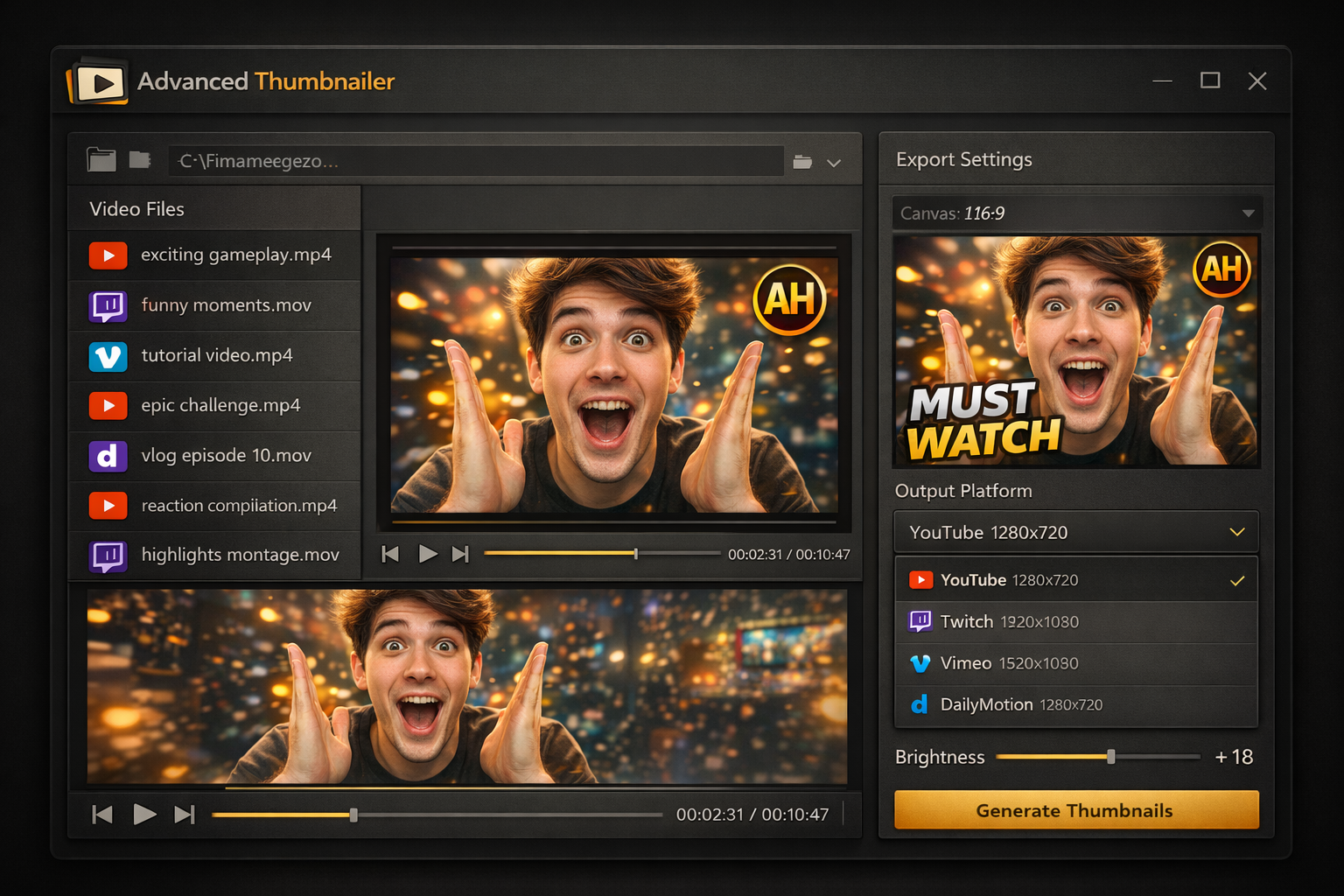
Load any MP4, MOV, AVI, MKV or WMV file and scrub to the exact frame you want as your thumbnail base. Advanced Thumbnailer grabs that frame at full quality straight from your footage - no screen-recording, no third-party tools needed.
One-click export presets for every major streaming platform - YouTube 1280x720, Twitch 1920x1080, Vimeo 1280x720, DailyMotion 1280x720, Rumble and more. No guessing the right dimensions, no manual resizing. Every thumbnail exports at exactly the size each platform requires.
Add high-impact title text directly onto your thumbnail canvas. Choose your font, size, colour and stroke, then position the text anywhere on the frame. High-contrast text on thumbnails is one of the most proven ways to lift your click-through rate across YouTube, Twitch and Vimeo.
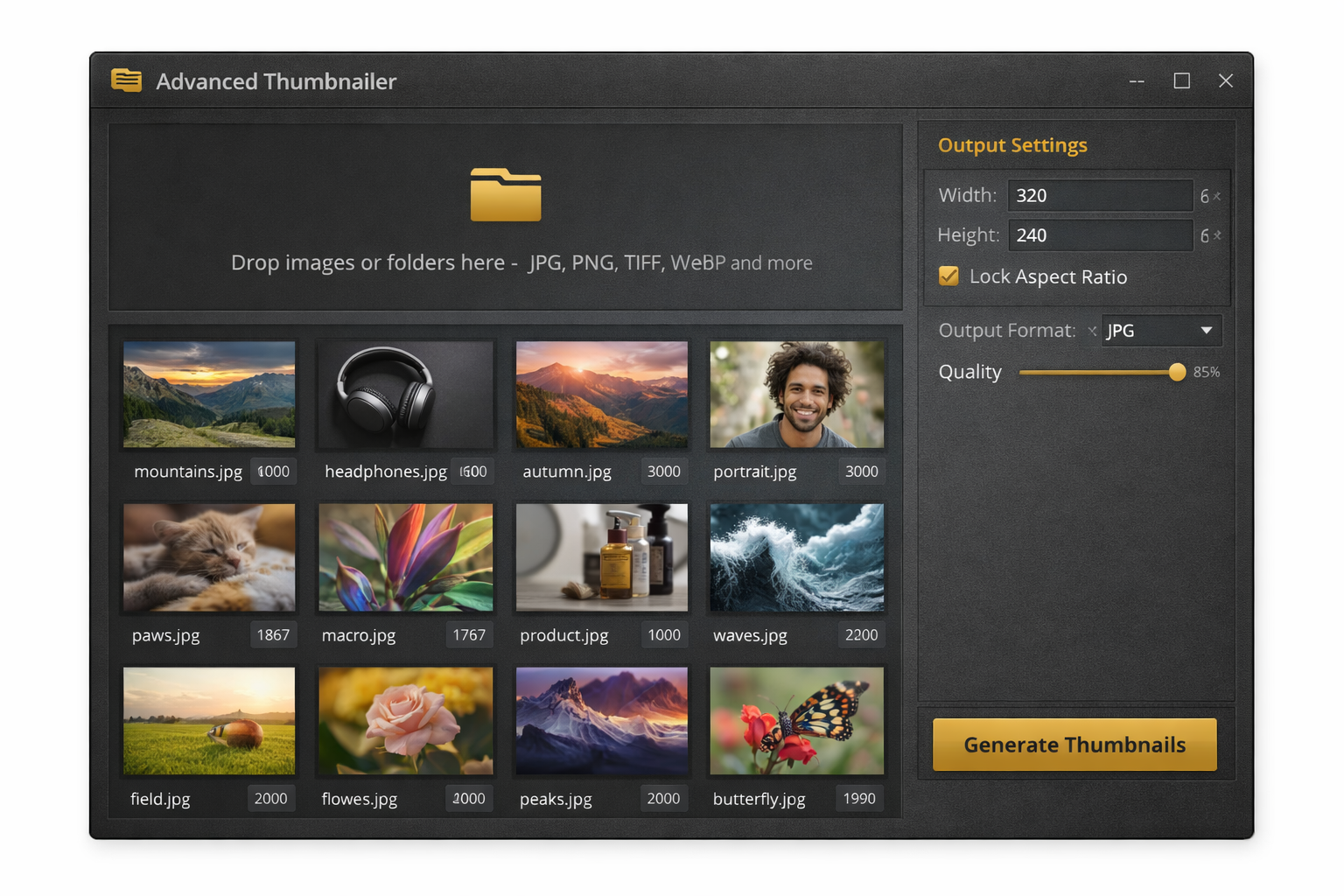
Point Advanced Thumbnailer at a folder of video files and generate a thumbnail for every single one in a single run. Perfect for processing an entire channel back-catalogue, a new series launch, or managing thumbnails across multiple platforms at the same time.
Upload your channel logo or brand watermark once, set its position and opacity, and Advanced Thumbnailer stamps it onto every thumbnail in the batch. Consistent branding across all your videos and across all your platforms - with zero extra work per upload.
Raw video frames can look flat and dull out of context. Boost brightness and contrast, punch up saturation and sharpen the image so your thumbnail pops in a busy Twitch directory, a YouTube search result page or a Vimeo showcase - all without opening a separate editor.
Crop any video frame or image to 16:9 for YouTube and Vimeo, 9:16 for TikTok and Stories, or 1:1 for Instagram with a single click. Drag to reposition the crop window, or let Advanced Thumbnailer auto-centre on the most visually important area of the frame.
Name your output thumbnails automatically using the original video filename, a custom prefix, platform name, sequential numbering or a date stamp. Every file lands in your output folder correctly named and ready to drag into the dashboard of whichever platform you are publishing on.
See exactly how your thumbnail will look at the target platform resolution before you commit to the full batch export. Adjust text, reposition your logo, refine the crop or dial in the contrast - then run the batch with complete confidence that every thumbnail is right.
No design skills. No expensive software. If you can drag and drop a file you can create professional thumbnails for every streaming platform you publish on - in under two minutes.
Drag your MP4, MOV, AVI, MKV or image file into Advanced Thumbnailer. Load a single video or an entire folder of uploads for bulk batch processing across any number of platforms.
Scrub your video timeline to find the most visually striking moment - a dramatic facial expression, a key action shot, or a high-energy scene that will stop viewers scrolling in any platform feed.
Overlay bold title text, position your channel logo, boost contrast and saturation, and choose your target platform from the preset list. See a live preview at full resolution as you work.
Click Generate and Advanced Thumbnailer exports every thumbnail at the correct size for each platform. Drag them straight into YouTube Studio, Twitch Creator Dashboard, Vimeo or wherever you publish.
Whether you publish on YouTube, stream on Twitch, host premium content on Vimeo, post to DailyMotion or grow an audience on Rumble, Advanced Thumbnailer handles every platform's thumbnail requirements from a single application - running locally on your PC, without uploading a single frame to anyone's server.
"I post the same videos to YouTube, Vimeo and DailyMotion and each platform needs a slightly different thumbnail size. Before Advanced Thumbnailer I was doing three separate exports in Canva for every video. Now I select all three platform presets, hit Generate, and all three are done in under a minute. It has completely changed my upload workflow."
"I manage content for a Twitch team and three YouTube channels - that is 15 to 20 new videos and stream clips every week, each needing its own thumbnail. Advanced Thumbnailer's batch processing handles the whole week's output in about half an hour on Monday morning. The channel logo auto-stamp means every creator's branding is consistent without any back and forth."
"I host long-form documentary content on Vimeo and Rumble and was using a web-based tool that kept timing out on my large MKV files. Advanced Thumbnailer runs entirely on my PC so there is nothing to upload. It handles four-hour 4K files without blinking and the Vimeo and Rumble presets mean I never have to think about output sizes. Worth every penny."
Pay once and own Advanced Thumbnailer forever. Every feature included, all platform presets, free software updates at no extra cost - ever.
One-time payment - instant download after purchase
Enter your details below and click the button to pay securely via PayPal. Your download link appears instantly after payment.
Advanced Thumbnailer includes built-in export presets for YouTube (1280x720), Twitch (1920x1080), Vimeo (1280x720), DailyMotion (1280x720), Rumble (1280x720), Odysee (1280x720), Facebook (1280x720), Instagram (1080x1080), TikTok (1080x1920), Twitter / X (1200x675) and LinkedIn (1200x628). You can also enter any custom pixel dimension for other platforms or internal use.
Yes - this is the core feature. Load any MP4, MOV, AVI, MKV or WMV file and use the frame scrubber to find the exact moment you want to use. Advanced Thumbnailer extracts that frame at full resolution so you always start from a crisp, high-quality image pulled directly from your own footage.
Yes. The text overlay tool lets you type your title or call-to-action, pick a font, set size and colour, add a drop shadow or stroke outline, and position the text anywhere on the canvas. Bold, high-contrast text is one of the most proven ways to improve click-through rates across YouTube, Twitch and Vimeo.
Yes. Upload your logo or watermark image once, set its position and opacity, and Advanced Thumbnailer applies it to every thumbnail in the batch. This keeps your channel branding consistent across all your videos and all your platforms without any manual work per upload.
Load a folder of video files and Advanced Thumbnailer automatically grabs a representative frame from each one - or you can set a specific timecode per video. Set your text, logo and platform preset once, then click Generate to export a finished thumbnail for every video in the folder in a single batch operation.
Yes. You can select multiple platform targets for a single batch run - for example YouTube 1280x720 and Vimeo 1280x720 and Twitch 1920x1080 all at once. Advanced Thumbnailer will generate correctly-sized versions for each selected platform from the same source frame, saving you the time of running separate exports.
No. Advanced Thumbnailer runs 100% locally on your Windows PC. Your video footage, images and thumbnail exports never leave your computer. This makes it much faster than any web-based thumbnail tool and means there are no file size limits, no upload timeouts, and complete privacy for unreleased or premium content.
Advanced Thumbnailer supports MP4, MOV, AVI, MKV and WMV video files for frame extraction, plus JPG, PNG, GIF, BMP, TIFF and WebP still image files if you prefer to start from a photo rather than a video frame. Output formats are JPG and PNG.
One-time payment of $29.95. You own the software outright with no monthly fees, annual renewals or per-platform charges of any kind. Free software updates are included as part of your purchase.
The moment your PayPal payment is confirmed you are redirected back to this page where your download link appears immediately. You can be installing Advanced Thumbnailer and creating your first streaming thumbnails within minutes of completing your purchase.
Join thousands of creators already using Advanced Thumbnailer to make professional, click-worthy thumbnails for YouTube, Twitch, Vimeo, DailyMotion and every platform they publish on - without a monthly subscription.
Get Advanced Thumbnailer - Only $29.95Secure PayPal | Instant download | No subscription | Free updates